๐ŸŽฏ
โœจ New Feature
SlideGenius - AI-Powered Presentation Builder
Turn this document into a full PowerPoint in seconds. Click to try it free.
Try free โ†’

AI
๐Ÿ“„ DOC ๐Ÿ“• PDF ๐Ÿ“Š PPT ๐Ÿ–ผ๏ธ IMAGES
to Word DOCX

๐Ÿ’ก Tip: For ChatGPT, paste in $inlineMath$ format
How to Use (3 steps)
  1. Copy AI Output

    Copy text from ChatGPT, Claude, DeepSeek, Perplexity, or Gemini

  2. Paste & Preview

    Paste into the input area above and see the formatted output instantly

  3. Download DOCX

    Click "Convert to Word (Download)" to save your formatted document
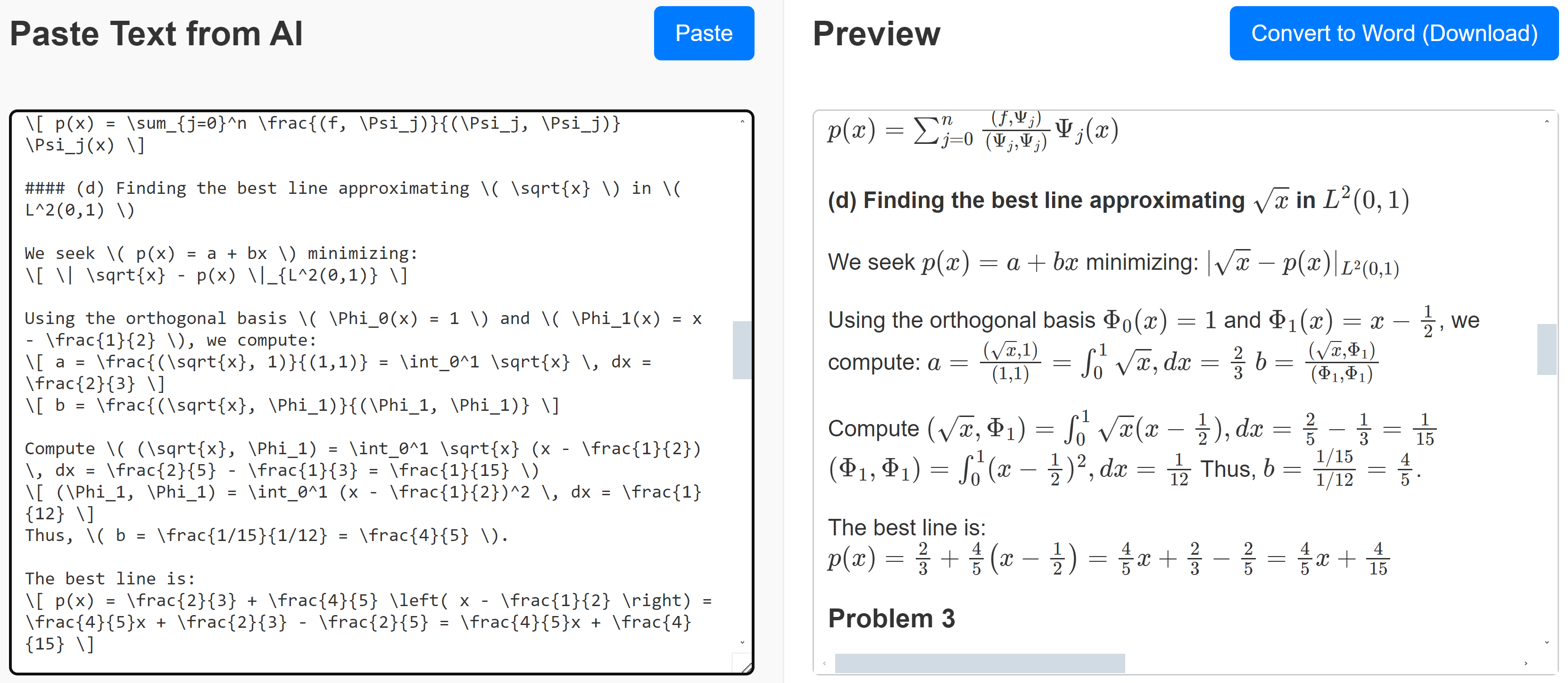
Paste Text from AI

0/1500 words

Preview

Sample Input and Output

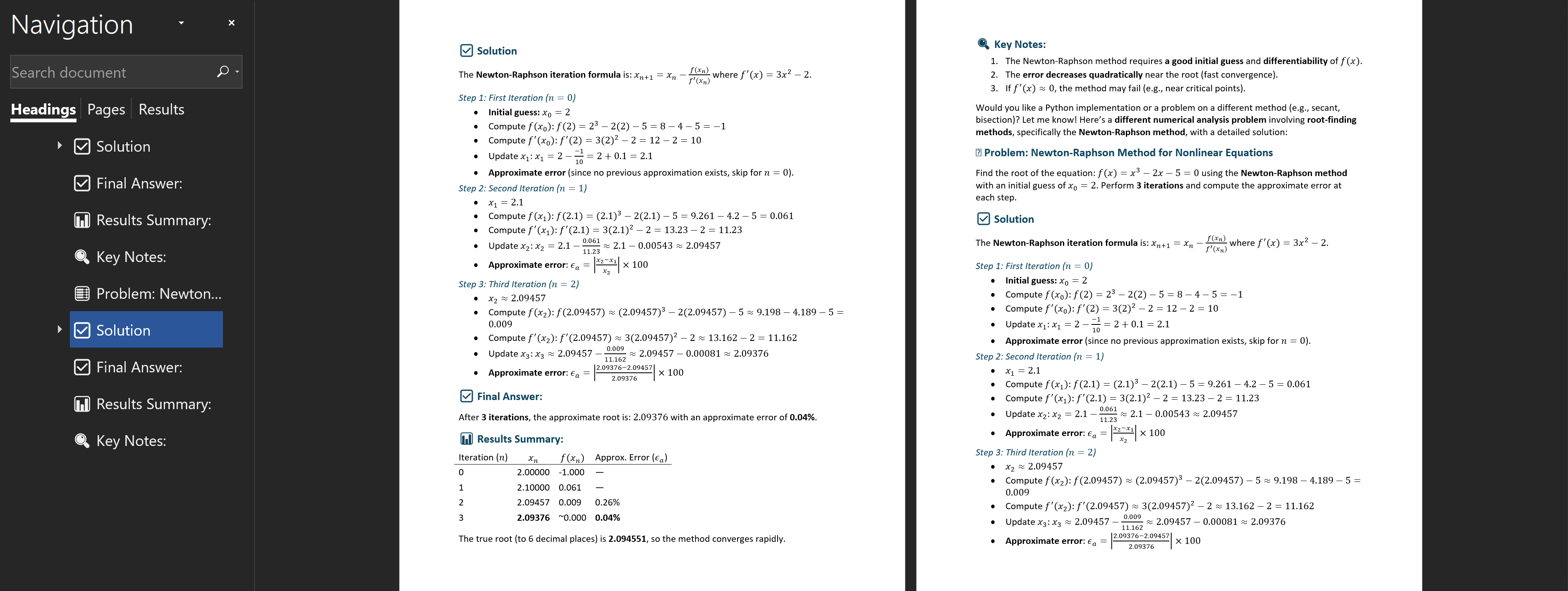
Sample Input and Output Sample Word DOCX Output

๐Ÿ’ก Tips & Troubleshooting Guide

๐ŸŒŸ

Recommended Approach

Use DeepSeek for optimal results. DeepSeek's copy functionality preserves all formatting. Paste directly into our converter for consistent, high-quality conversions.

โš ๏ธ

Conversion Troubleshooting Flowchart

Start
โ†“
Paste AI response into converter
(copy from ChatGPT, Claude, etc.)
โ†“
Converts well?
Yes
โ†’
Download DOCX โœ…
No
โ†“
DeepSeek Method:
  1. Manually select & copy AI response text
  2. Paste into DeepSeek chat
  3. Ask: "Write this exactly as is, no further computation"
  4. Copy DeepSeek output โ†’ Paste in our tool
โ†“
Works now?
Yes
โ†’
Download DOCX โœ…
No
โ†“
Gemini Alternative Method:

For Gemini or models with copy restrictions

  1. Click โ‹ฎ (three dots) on AI response
  2. Select "Export to Google Docs"
  3. Copy all text from the Google Doc
  4. Paste into our converter above
โ†“
โœ… Conversion Complete

๐Ÿ’ก Key Insight: Most conversion issues are resolved using the DeepSeek method (request "exactly as is" output). The Gemini method is particularly effective when encountering copy restrictions or formatting limitations.

โš™๏ธ Why Gemini & Some AI Models Don't Work

โŒ The Problem

Gemini recently changed its equation format from standard LaTeX to a proprietary format. This means equations can't be directly converted to Word format.

Some AI models prevent copying equations using the copy button - but there's a workaround!

โœ… The Solution

Use the Export to Google Docs feature:

  1. Click the โ‹ฎ menu (three dots) on the response
  2. Select "Export to Google Docs"
  3. Copy the unformatted text from Docs
  4. Paste it here into our converter

Best Path Forward: DeepSeek (copy button) โ†’ Converter โ†’ Word
Backup Option: Gemini (export to Docs) โ†’ Copy text โ†’ Converter โ†’ Word

๐ŸŽฏ
โœจ New on AI Text2Word
Try our new AI-powered PPT maker - upload a doc, get slides instantly!